
Operational Assessment Before Automation: What Growing TeamsShould Review First
Why Growing Teams Should Run an Operational Assessment Before Automation
When operations start feeling slow, messy, or too manual, automation is often the first thing teams think about.
It makes sense. If people are copying data between tools, rebuilding reports, chasing updates, or repeating the same task every week, automation feels like the obvious next step.
But automation works best when the workflow underneath it is already clear.
If the process is unclear, automation can move confusion faster. It can send incomplete data into more systems, trigger actions nobody owns, or create dashboards that still don't answer the right operational questions.
That's why growing teams should start with an operational assessment before automation. The goal isn't to delay improvement — it's to understand where work actually breaks, which systems hold important information, who owns each step, and which workflows are ready to improve.
Why Automation Shouldn't Be the First Step
Automation is useful when the workflow is ready for it.
The problem is that many teams try to automate before they fully understand the process. They know something is inefficient, but they haven't mapped where the friction starts.
For example, a team may say: "We need to automate reporting." But the real issue may be that data lives across five tools, nobody owns data cleanup, and leadership doesn't trust the numbers.
Another team may say: "We need to automate client onboarding." But the real issue may be that sales, delivery, finance, and support all need different information, and no one has defined what should transfer at each step.
In both cases, automation may help later. First, the business needs clarity.
What an Operational Assessment Should Actually Review
An operational assessment shouldn't be a generic audit or a list of software tools. It should show how work moves through the business.
That means reviewing:
Where workflows begin
Which tools are involved
Who owns each step
Where handoffs happen
What information needs to move
Where manual checks happen
Which reports are delayed or hard to trust
Which workflows are actually ready for automation
The best assessment gives the team a clearer view of the operating layer — the workflows, ownership, systems, and reporting structure that support daily execution.
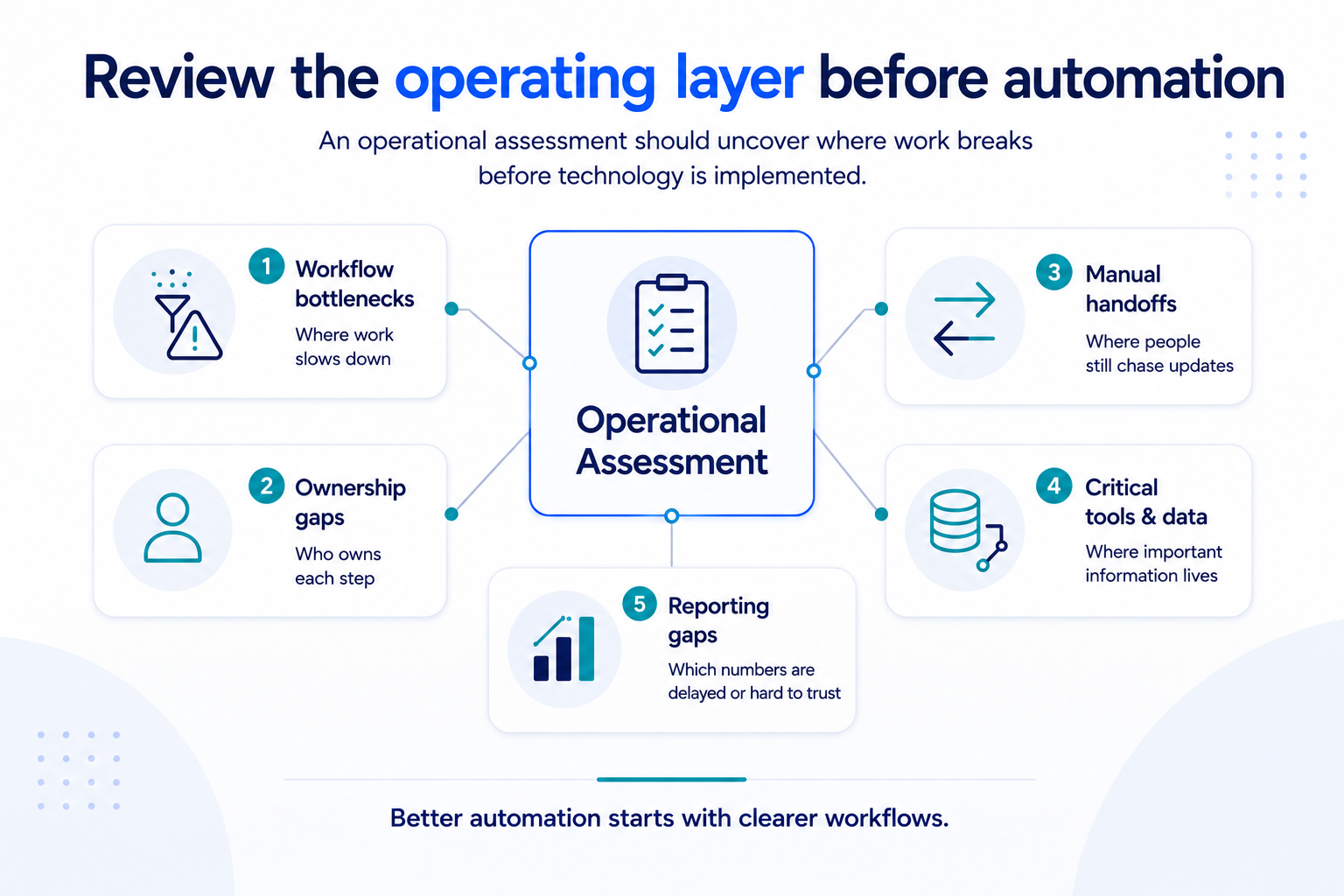
Where Work Breaks Down
The first thing to review is where work slows down.
These breakdowns are usually not dramatic — they show up as small, repeated points of friction. A task waits for someone to check a spreadsheet. A manager asks for the same update every week. A support team needs operations to confirm status. Finance waits for missing details. Delivery doesn't know if the previous team completed the handoff.
Individually, these issues look small. Together, they create operational drag.
Common signs include:
Repeated manual checks
Slow handoffs between teams
Bottlenecks around one person
Tasks waiting for missing context
Updates happening in Slack instead of systems
Work being repeated because the first version was incomplete
An operational assessment should identify these patterns and show where the workflow needs to be redesigned.
Which Tools Hold Critical Data
Most growing teams already use several tools.
An ecommerce company may rely on Shopify, Amazon, inventory software, support tools, finance software, and spreadsheets. An IT services company may use a CRM, project management platform, ticketing system, documentation tool, finance system, and Slack.
The problem isn't simply having many tools — it's that each tool holds part of the truth, but no one has a clear view of the full workflow.
An assessment should review which systems hold critical data and how that data moves between them. Important questions include:
Which tool is the source of truth?
Which data gets copied manually?
Which updates depend on exports?
Which teams use different versions of the same information?
Which reports rely on someone cleaning data by hand?
Before automation, teams need to understand the data flow. Otherwise, automation may connect systems without solving the trust problem underneath.
Who Owns Each Step
Many workflow problems are ownership problems.
A process may look clear on paper but break down because no one knows who owns the next step. This often happens between departments: sales closes a deal, but delivery doesn't know who should create the project. Operations sees a fulfillment issue, but support doesn't know who should update the customer. Finance needs billing details, but no one owns the handoff from delivery.
When ownership is unclear, people chase answers.
An operational assessment should clarify:
Who owns the workflow?
Who owns each step?
Who handles exceptions?
Who updates the team?
Who decides when the workflow is complete?
Clear ownership is one of the most important foundations for automation. If no one owns the process manually, automation won't create accountability on its own.
Where Reporting Gaps Exist
Manual reporting is often a symptom of deeper operational issues.
If a team rebuilds the same report every week, the spreadsheet may not be the real problem — the data may be scattered, inconsistent, or disconnected from the workflow.
For example, leadership may need a weekly operations report, but the team has to export data from multiple systems, clean it manually, check numbers against another spreadsheet, and ask different teams if the report is accurate.
That's not just a reporting issue. It's an operational visibility issue.
An assessment should review why the report needs manual work in the first place — understanding:
Where the data comes from
Who owns the data
What needs to be cleaned
Which numbers are trusted
Which decisions depend on the report
What should be automated later
Better reporting usually starts with better workflow and data structure.
How to Identify Automation-Ready Workflows
Not every workflow is ready to automate. A workflow is usually more automation-ready when it has:
A clear trigger
A clear owner
Defined steps
Predictable inputs
Reliable data
Known exceptions
A clear output or report
If those elements are missing, the team may need workflow architecture before automation. That doesn't mean the workflow can't be improved — it means the team should first define how the process should work.
For example, before automating client onboarding, the team should know what information must transfer from sales to delivery, who creates the project, what finance needs, what the client receives, and how status is tracked.
Before automating reporting, the team should know which metrics matter, where the data lives, who owns accuracy, and what decisions the report supports.
Automation is stronger when it follows a well-designed workflow.
How BChanel Approaches Operational Assessment
At BChanel, we see operational assessment as the first step toward smarter systems.
The objective isn't to add automation on top of unclear processes — it's to understand how work moves today, where visibility breaks, which teams are involved, and what needs to be redesigned before implementation.
That assessment helps identify:
Workflow bottlenecks
Ownership gaps
Repeated manual checks
Disconnected systems
Reporting delays
Automation opportunities
From there, the next step is workflow architecture: designing how work should move across teams, tools, handoffs, and reporting points. Only after that does automation become useful.
This is how teams avoid automating the wrong process, connecting the wrong systems, or building workflows that still depend on manual cleanup.
You can learn more about how BChanel approaches workflow and operational improvement here:
The Real Goal: Better Systems Before Automation
The goal of an operational assessment isn't to create more documentation. The goal is clarity.
A growing team should understand where work breaks, which tools matter, who owns each step, and what needs to be improved before automation enters the picture.
That clarity helps teams make better decisions. It shows which workflows need redesign. It shows which reports need better data flow. It shows which handoffs need ownership. It shows which automation opportunities are actually worth pursuing.
Before investing in automation, growing teams should ask a simple question:
Do we understand the workflow well enough to improve it?
If the answer is no, start with an operational assessment.
→ Request a workflow assessment to identify where your workflows are clear, where they're breaking, and which opportunities are ready for automation.
FAQs
What is an operational assessment before automation?
An operational assessment before automation is a review of workflows, tools, handoffs, ownership, reporting, and visibility gaps before implementing automation. It helps teams understand what should be improved first.
Why should companies assess operations before automating?
Because unclear workflows can make automation less effective. If ownership, data flow, and process steps aren't clear, automation may simply move problems faster.
What should an operational assessment include?
Workflow bottlenecks, manual handoffs, ownership gaps, disconnected systems, reporting delays, critical data sources, and automation opportunities.
How do you know if a workflow is ready for automation?
A workflow is more ready for automation when it has a clear trigger, defined steps, reliable data, clear ownership, known exceptions, and a useful output or report.
What is the difference between workflow architecture and automation?
Workflow architecture defines how work should move. Automation executes parts of that workflow through tools, integrations, alerts, or reporting systems.